How to setup custom domain
Namecheap
Sign in to your Namecheap account
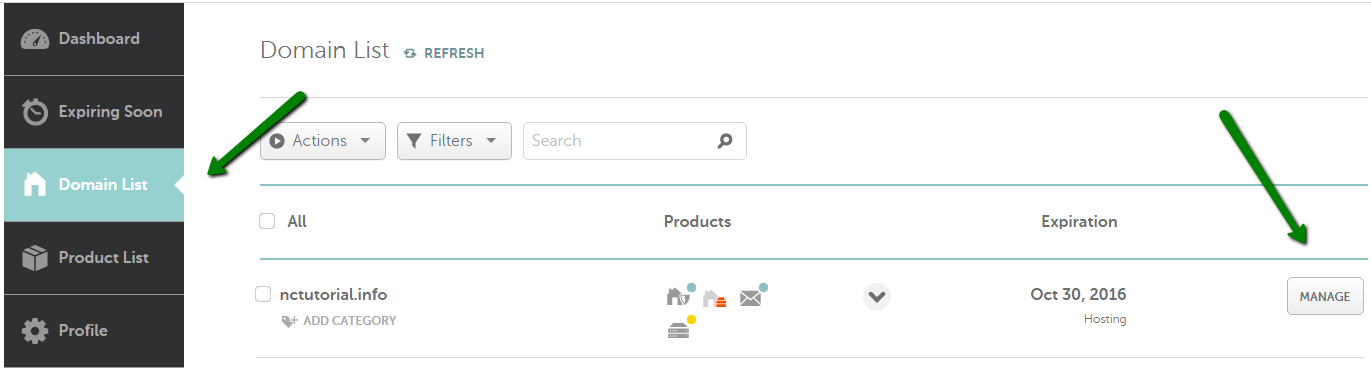
Select Domain List from the left sidebar and click on the Manage button next to your domain
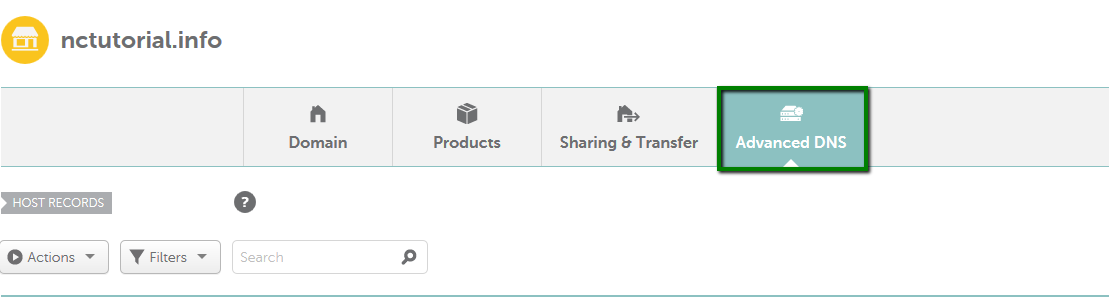
Navigate to the Advanced DNS tab at the top of the page
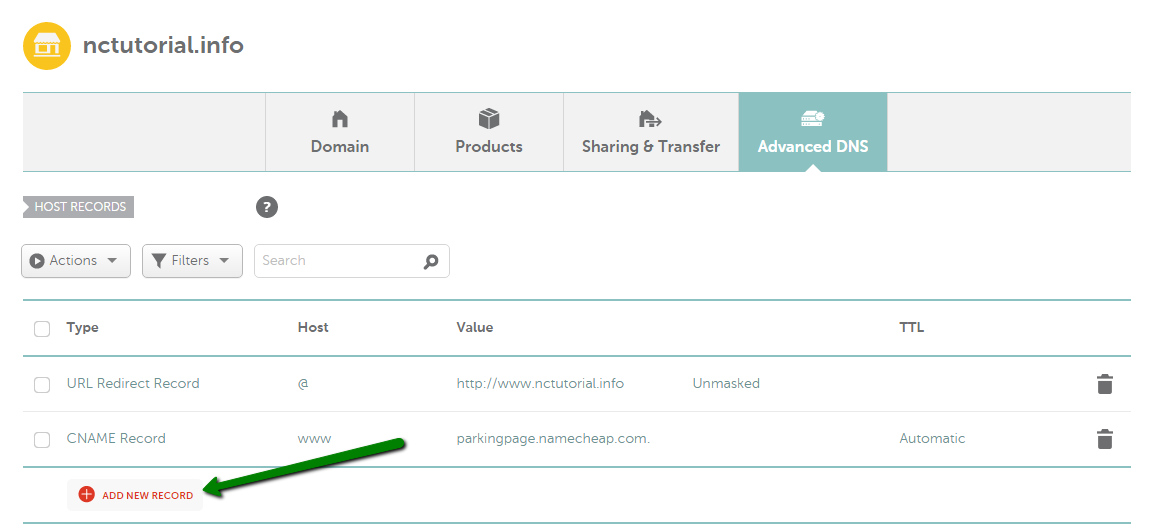
Select all the records and delete all the existing records
Find the Host records section and click on the Add New Record button
You need to add two records with below configuration. The first record is to point your root domain and the second record is to point your www subdomain.
Type - A Record
HOST - @
IP Address - 165.22.15.149
Note - @ is used to point a root domain (yourdomain.com)
Type - A Record
HOST - www
IP Address - 165.22.15.149
Note - www - is entered when it is needed to point to www.yourdomain.com

Login to your uncody account and head over to custom domain settings
In your custom domain settings enter your domain name without the www
Then click on Publish button to publish your page.

Visit https://yourdomain.com from your browser address bar and verify your website is accessible.
Note - Dns propagation sometimes takes 24-48 hours, so your website may not be instantly accessible on your custom domain. Please wait for specified time and check later.